
Yes, if your EMR isn't currently supported, you can still use Medulla through the Medulla web app. However, the Medulla browser extension requires a supported EMR.
Supported EMRs
We currently support the following EMRs:
Med Access
Oscar 19
Oscar Pro
Juno
Open OSP
Avee Health
Avaros
If your EMR isn't currently supported, you can use the Medulla web app to conduct your encounters. Once you've completed your scribe session and generated your clinical documents, simply copy and paste into your EMR where applicable.
How to use the Medulla web app
You can access the Medulla web app from a desktop computer, laptop, or mobile phone browser. Follow the steps below to conduct an encounter using the Medulla web app:
Sign in to the Medulla web app. For detailed instructions, see How to Sign In to the Medulla Web App.
Click Scribe from the left navigation menu.
Select In-person if the patient is with you, or Telehealth if you are conducting the encounter remotely.
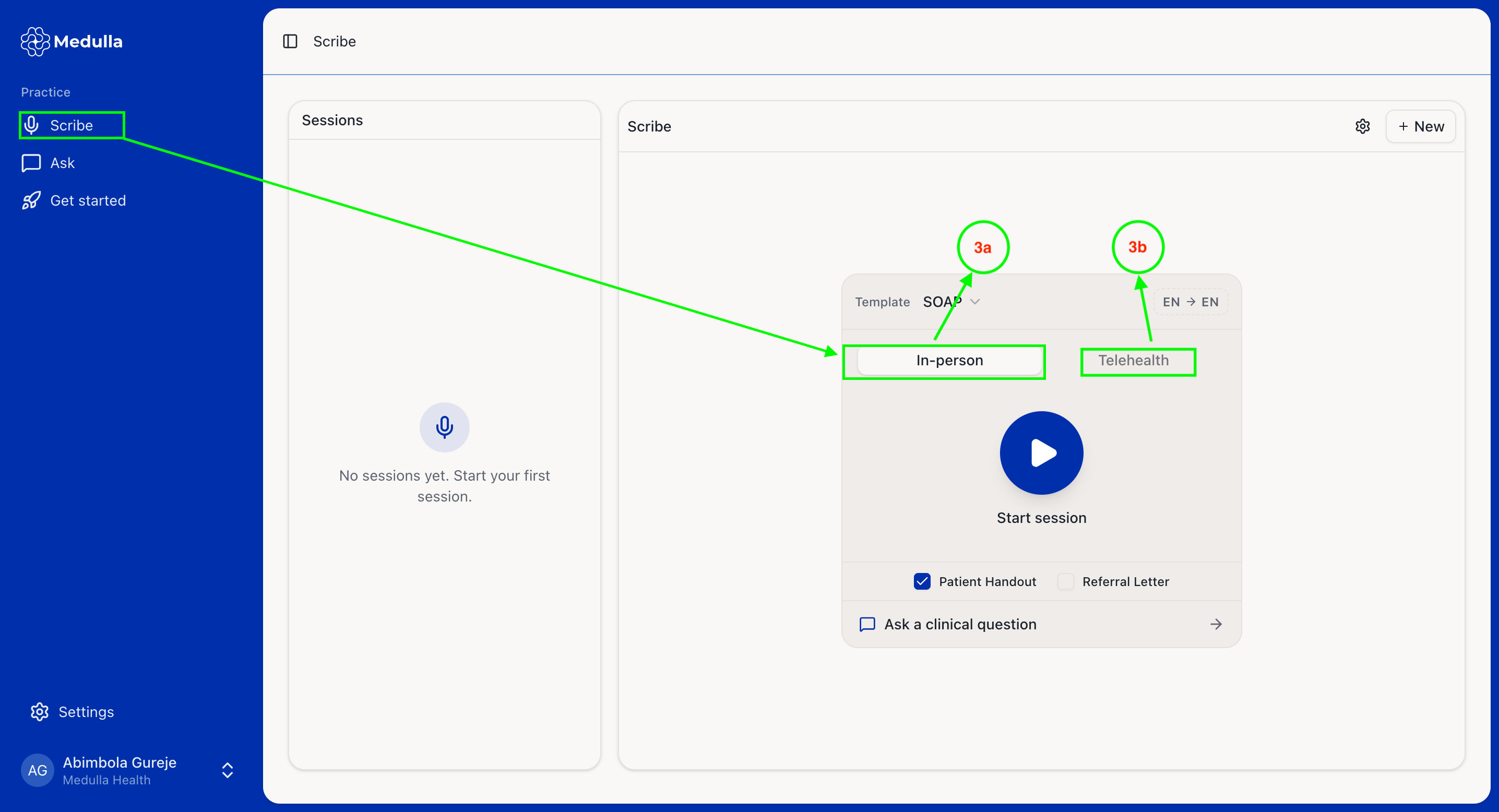
Start and complete your encounter accordingly.
Once your clinical documents have been generated, review and edit them if needed.
Copy and paste your clinical documents into your EMR, where applicable.
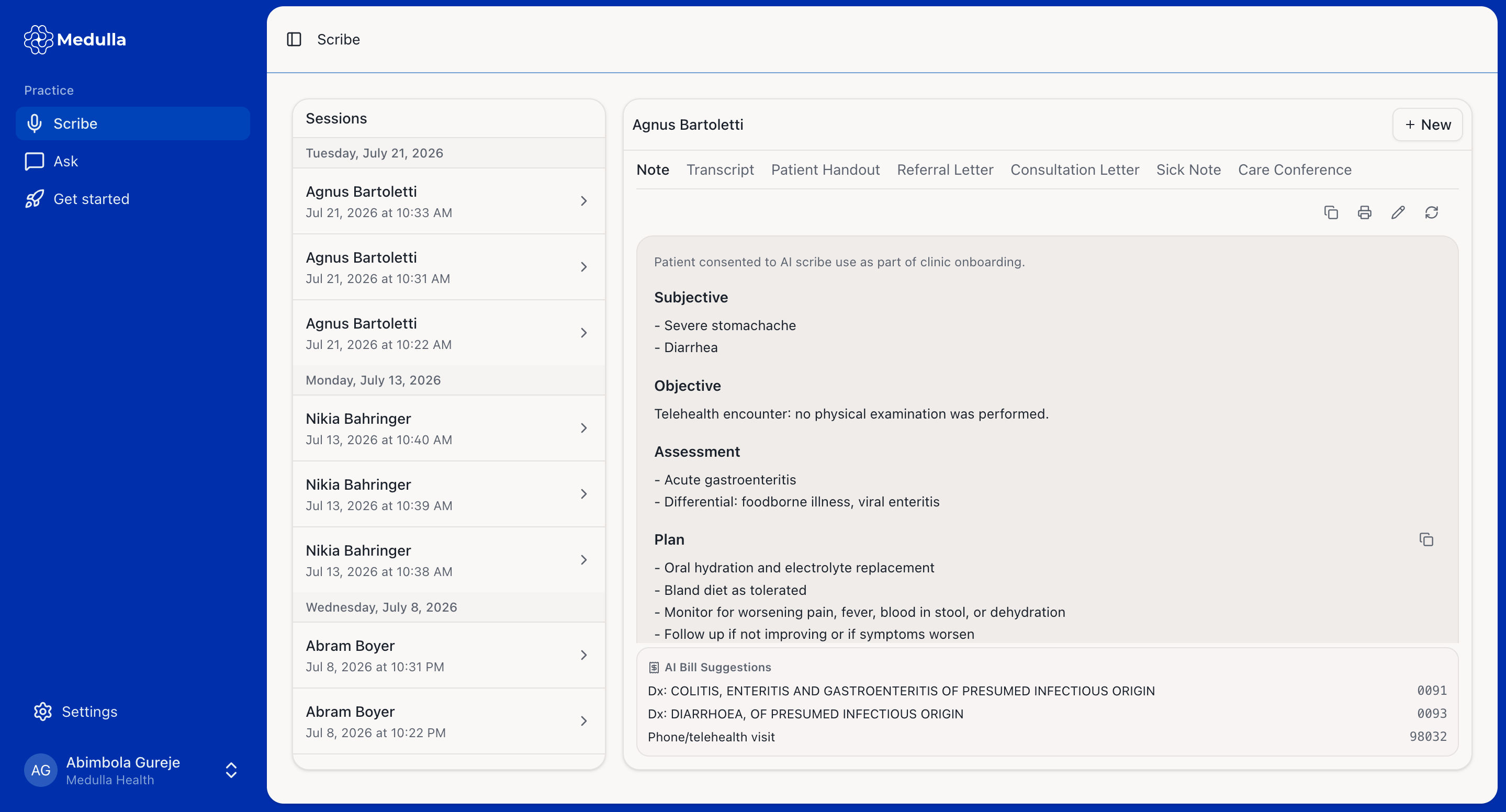
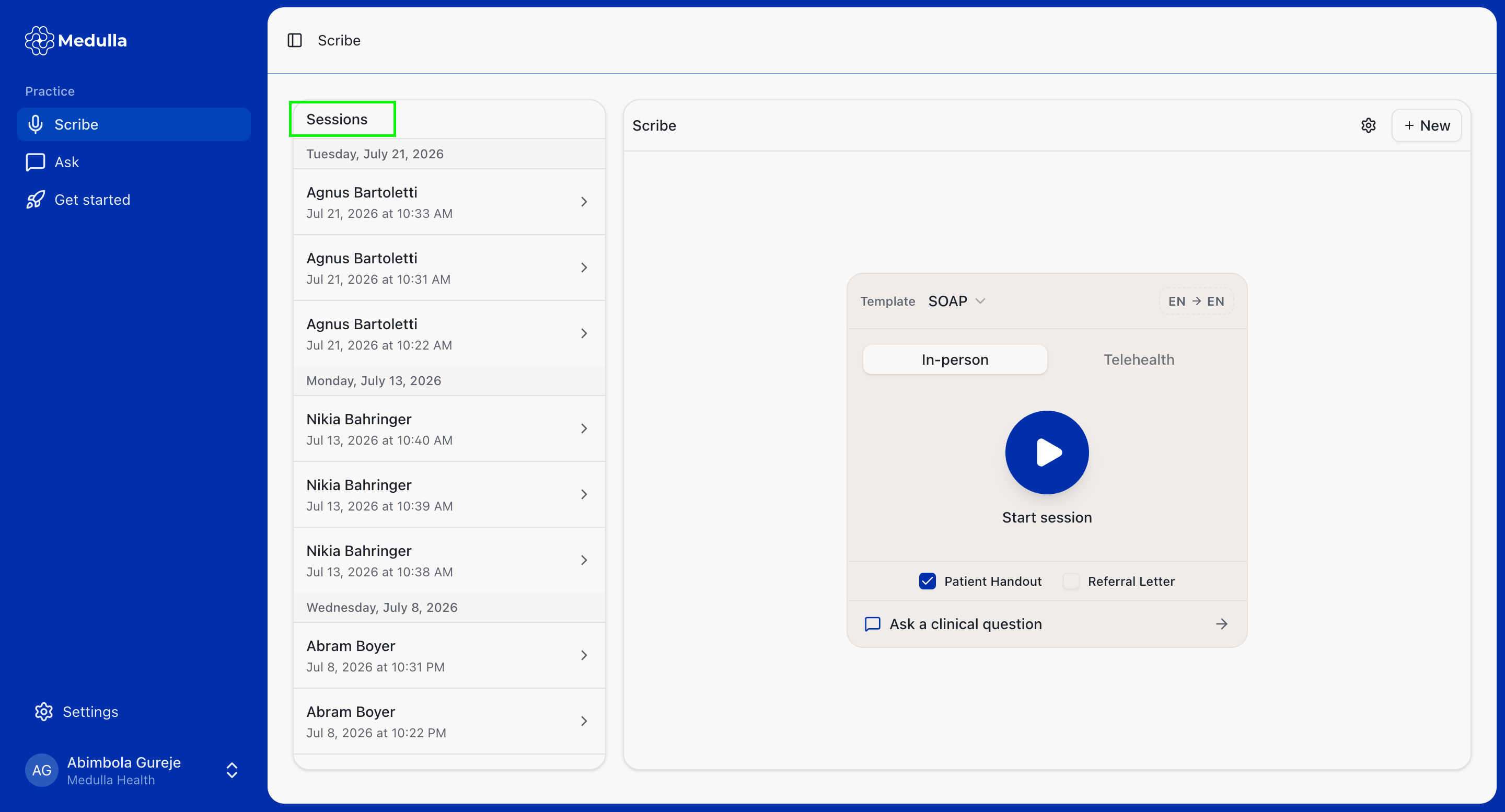
View your previous scribe sessions in the Sessions panel on the left.
What you can do with the Medulla web app
With the Medulla web app, you can:
Conduct in-person and telehealth encounters.
Generate clinical notes, referral letters, and other clinical documents.
Ask general clinical questions using the built-in AI Chat feature.
Access your previous scribe sessions.
View and copy AI Bill Suggestions.
The following features are only available when using the Medulla browser extension with a supported EMR:
AI Insight
AI Chart
One-click insertion of generated notes and charts into your EMR
When using the Medulla web app, you won't see the current patient's information or encounter context as you would when using the Medulla browser extension with a supported EMR. You can manually edit the generated clinical documents to add any relevant patient information before copying them into your EMR.