
Every session gives you a note and a transcript. Beyond those, you generate whatever else the visit needs from your template catalogue, as many documents as you want, each in its own tab.
What arrives on its own
Note and Transcript are generated after every session, as long as there was something to transcribe.
Patient Handout is generated automatically too. There is no box to tick before you start.
Referral waits for you, because it needs to know which referral template to use. Open the tab and pick one.
Generating anything else
Click Generate above the tabs to open your template catalogue.
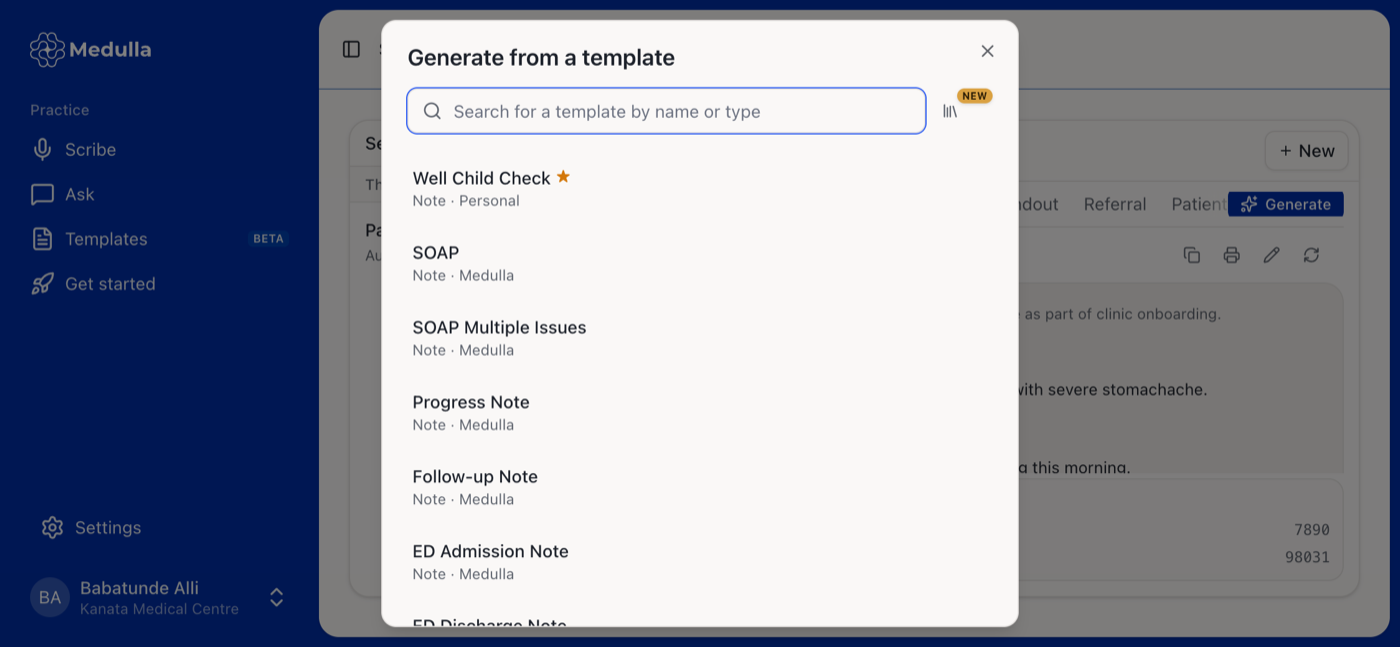
Search by name or type, and pick a template. The document opens in a new tab and starts generating straight away. Your favourites are listed first and marked with a star, and each entry shows its type and whether it came from Medulla, your practice, or your own templates.
Because templates are reusable, you can generate two documents from the same template in one session, or produce a second note in a different format alongside the first.
The catalogue lists Note, Referral, Summary and Letter templates. For what each one produces, see Which template should I use?
Working with a generated document
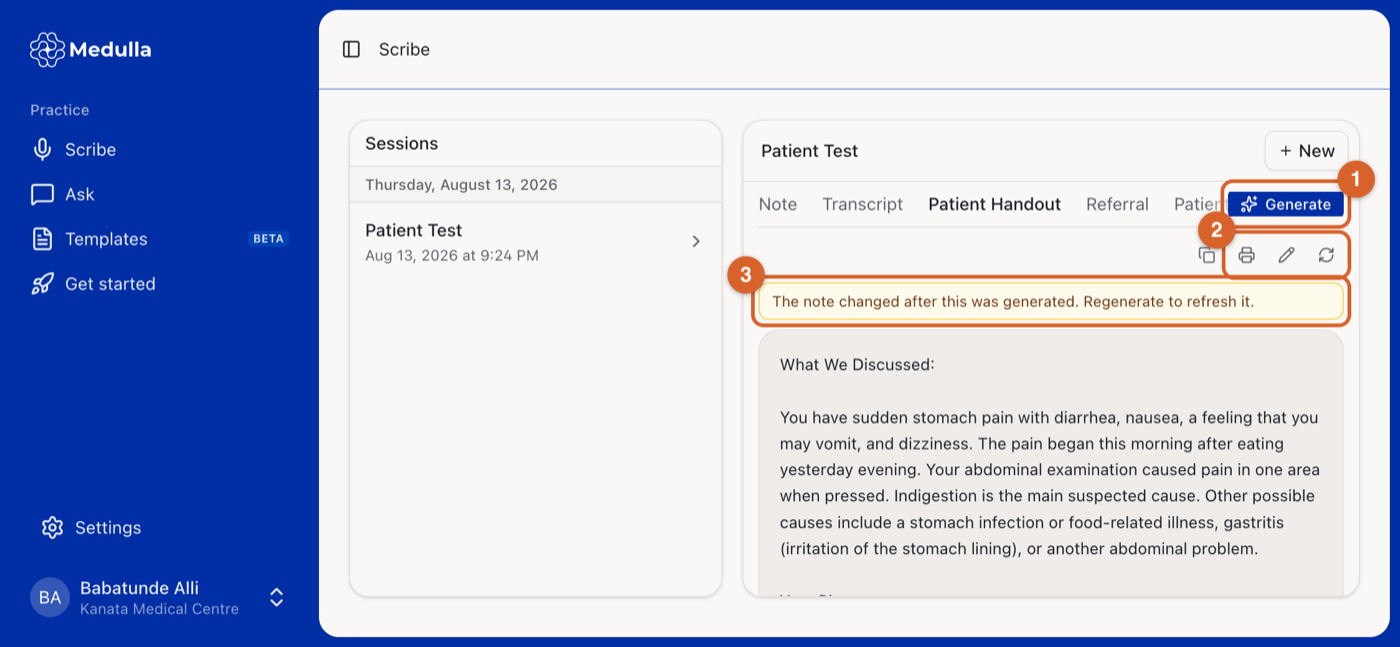
Generate opens the catalogue again for another document.
The toolbar copies, prints, edits or regenerates the document you are looking at. Documents you generated yourself can also be deleted; Patient Handout and Referral stay put.
If you change the note after a document was built from it, a reminder appears. Regenerate to bring the document back in line.
Regenerating a document lets you swap in a different template of the same type, so a referral written for one specialty can be rebuilt for another without starting the session again. Edits you make by hand are replaced when you regenerate, so copy anything you want to keep first.
The transcript is the one thing you cannot edit. It is the record of what was said.