
Medulla supports a wide range of languages. The default language is English but you can change it by following these steps:
-
From the extension's scribe tab, click the language control button on the top right corner of the scribe card. This will take you to your scribe language settings in the web UI in a new browser tab. Login if required.
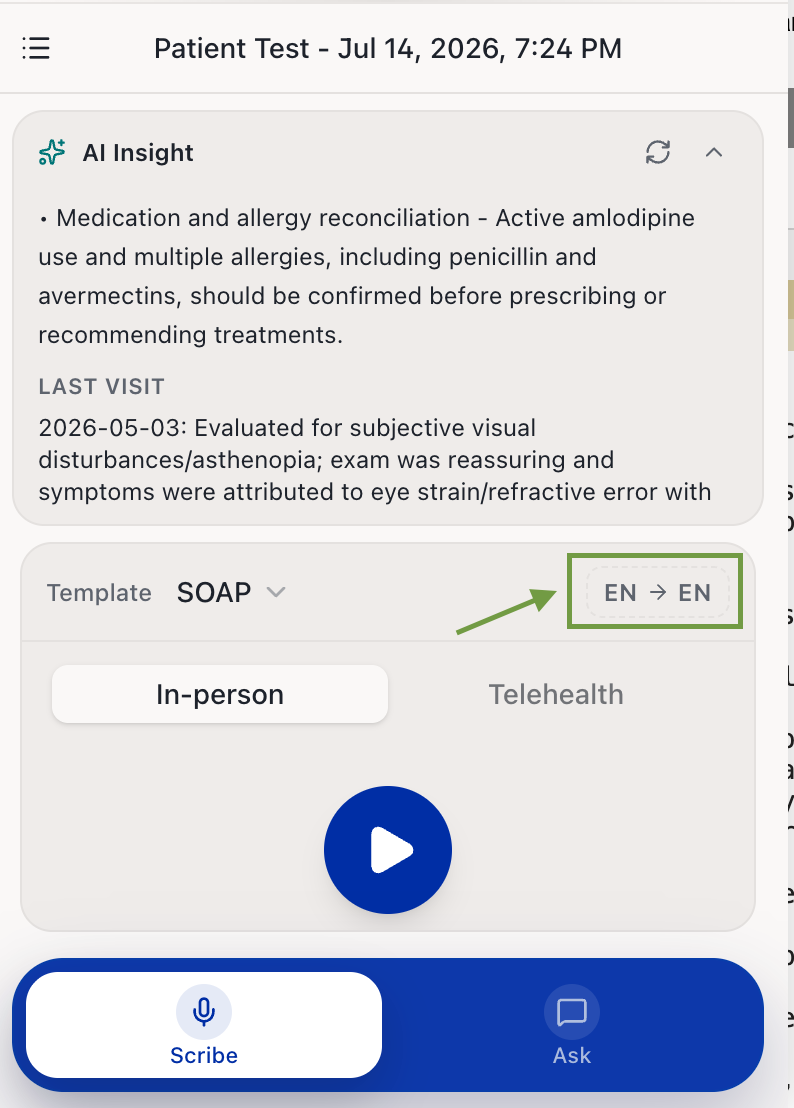
Scribe tab language control button Select your preferred conversation language from the dropdown. This is the language spoken during the patient encounter.
Select your preferred note language from the dropdown. This is the language in which your clinical notes will be generated.
-
Click Save to apply your changes.
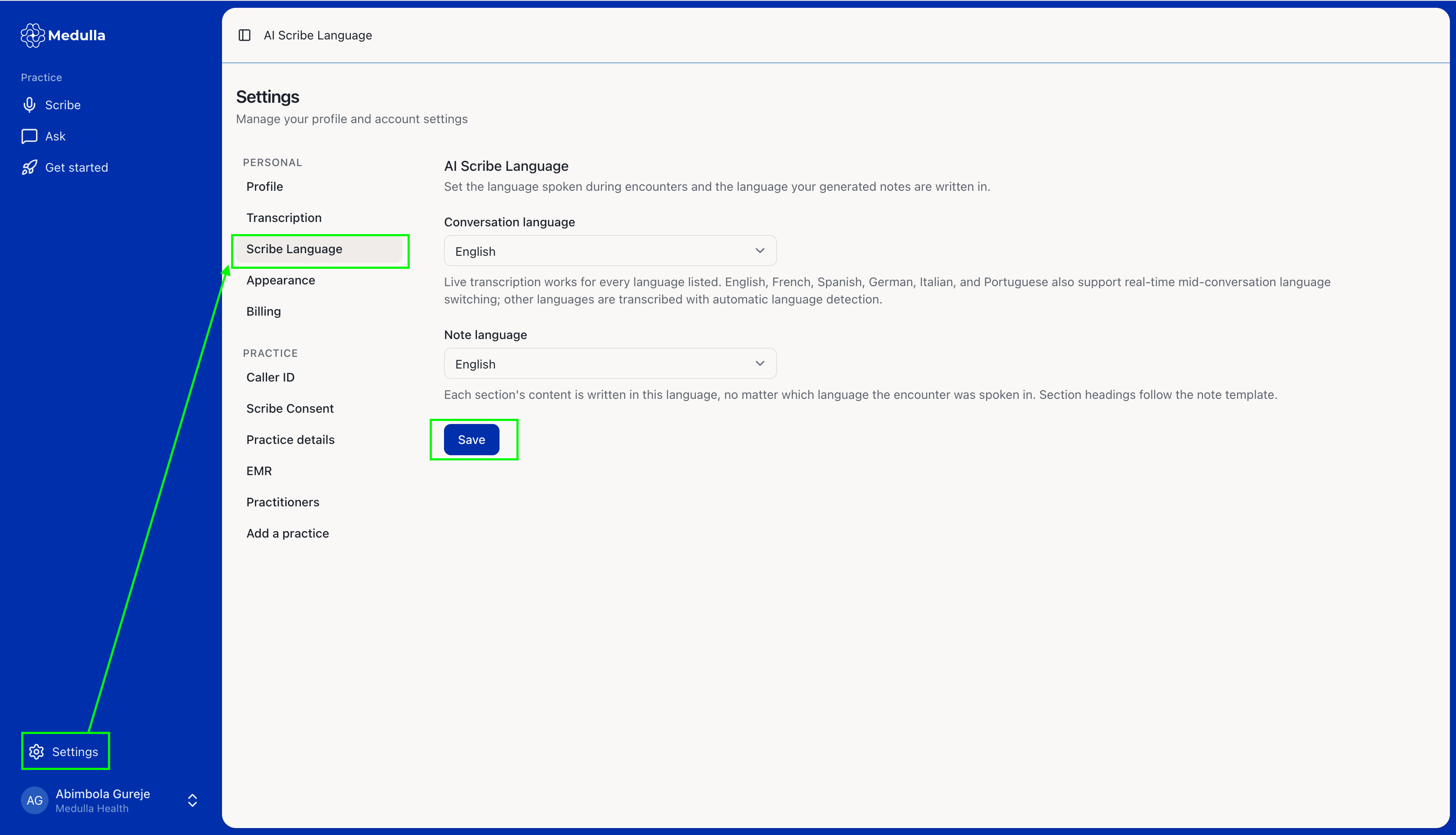
Scribe Language Settings Go back to your encounter page with the extension drawer opened. Your new language settings will be automatically updated.