
There are two different problems that can look the same on screen, and each has its own fix. Choosing the right one saves you redoing work.
The transcript is accurate but the note is not. A section is thin, something was missed, or you want it laid out differently. Regenerate the note.
The transcript itself is wrong. Words are garbled or misheard, so anything built from it inherits the error. Rebuild the transcript from the recording first.
Regenerating the note no longer redoes the transcript, and rebuilding the transcript leaves your note alone, so you can fix one without disturbing the other.
Regenerate the note
Open the session and stay on the Note tab.
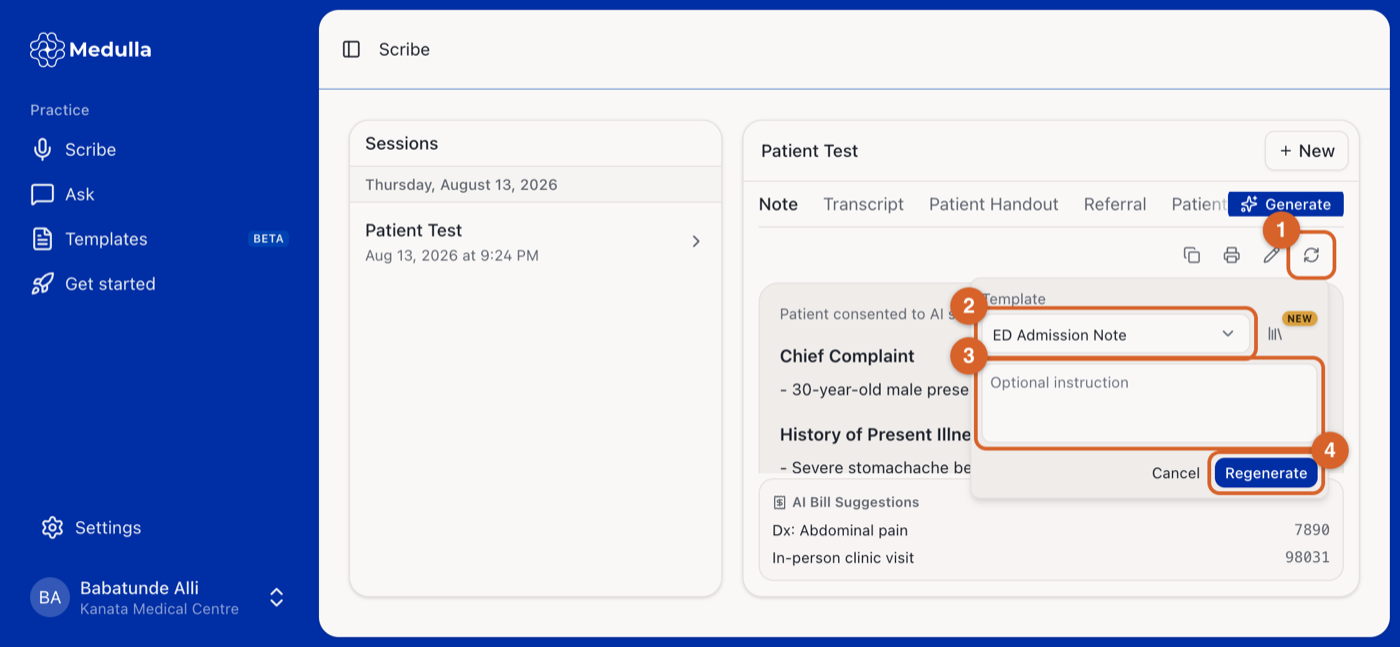
Click the regenerate icon in the toolbar above the note.
Leave the Template as it is to rebuild the same format, or pick a different one to produce the note in another layout.
Optionally type an instruction, such as “make it more concise” or “expand the plan”. Leave it blank to run it again unchanged.
Click Regenerate.
The note is rewritten from the existing transcript. Your previous version is replaced, so copy anything you want to keep before you start.
Rebuild the transcript from the recording
Do this when the transcript has the wrong words in it. Medulla re-transcribes the original audio, and you then regenerate the note from the corrected text.
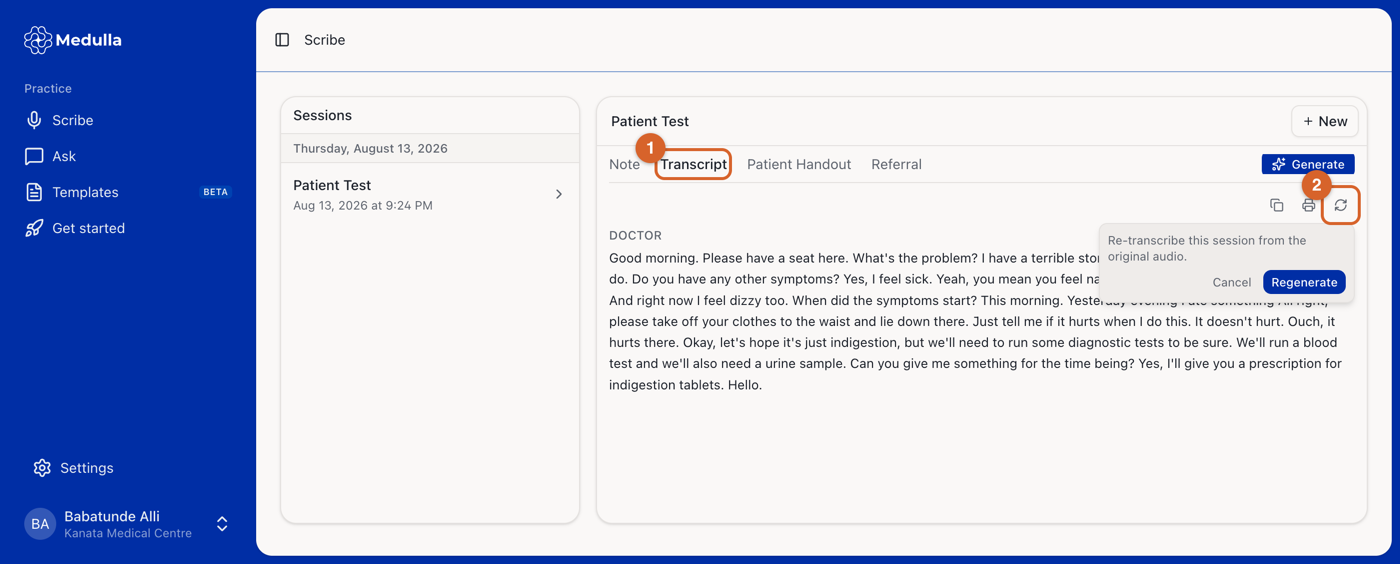
Open the session and select the Transcript tab.
Click the regenerate icon, then Regenerate to re-transcribe from the original audio.
Your current transcript stays in place until the new one succeeds, so a failed attempt never leaves you with less than you had. Your note is untouched. Regenerate it once the new transcript looks right.
Recordings are kept for 48 hours, so a transcript can only be rebuilt within that window. After it passes, the regenerate icon on the Transcript tab is greyed out. The note can still be regenerated at any time.
If a session shows an error
Open the session and click Try again. Losing your connection or closing the tab does not cost you the note, because Medulla finishes the work in the background and recovers on its own.