To add a new practitioner under your practice in Medulla, follow these steps:
-
From the Medulla side drawer, click the settings icon and select Invite a practitioner.
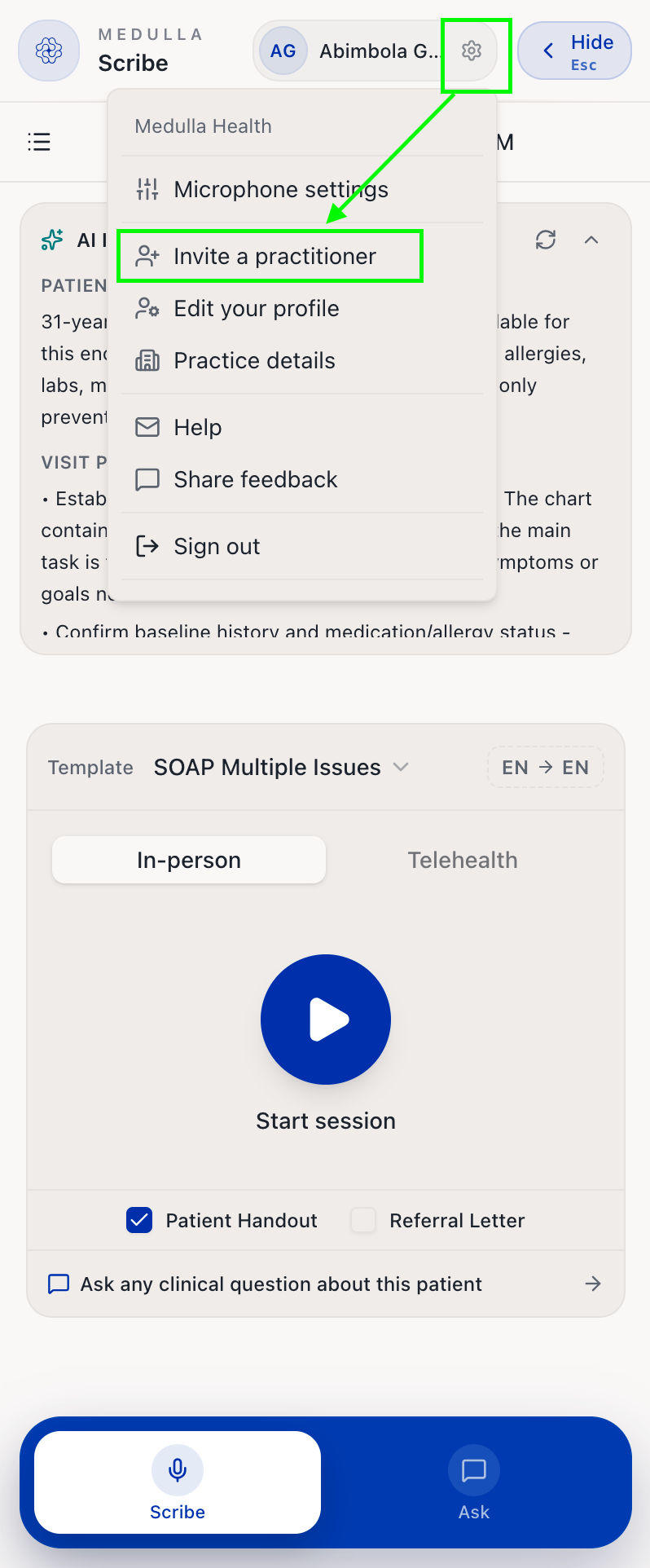
Settings Icon You will be redirected to the Medulla web app. Ensure you are on the Practitioners tab.
Fill out the practitioner's details: title, first name, last name, and email address, and click Send invite.
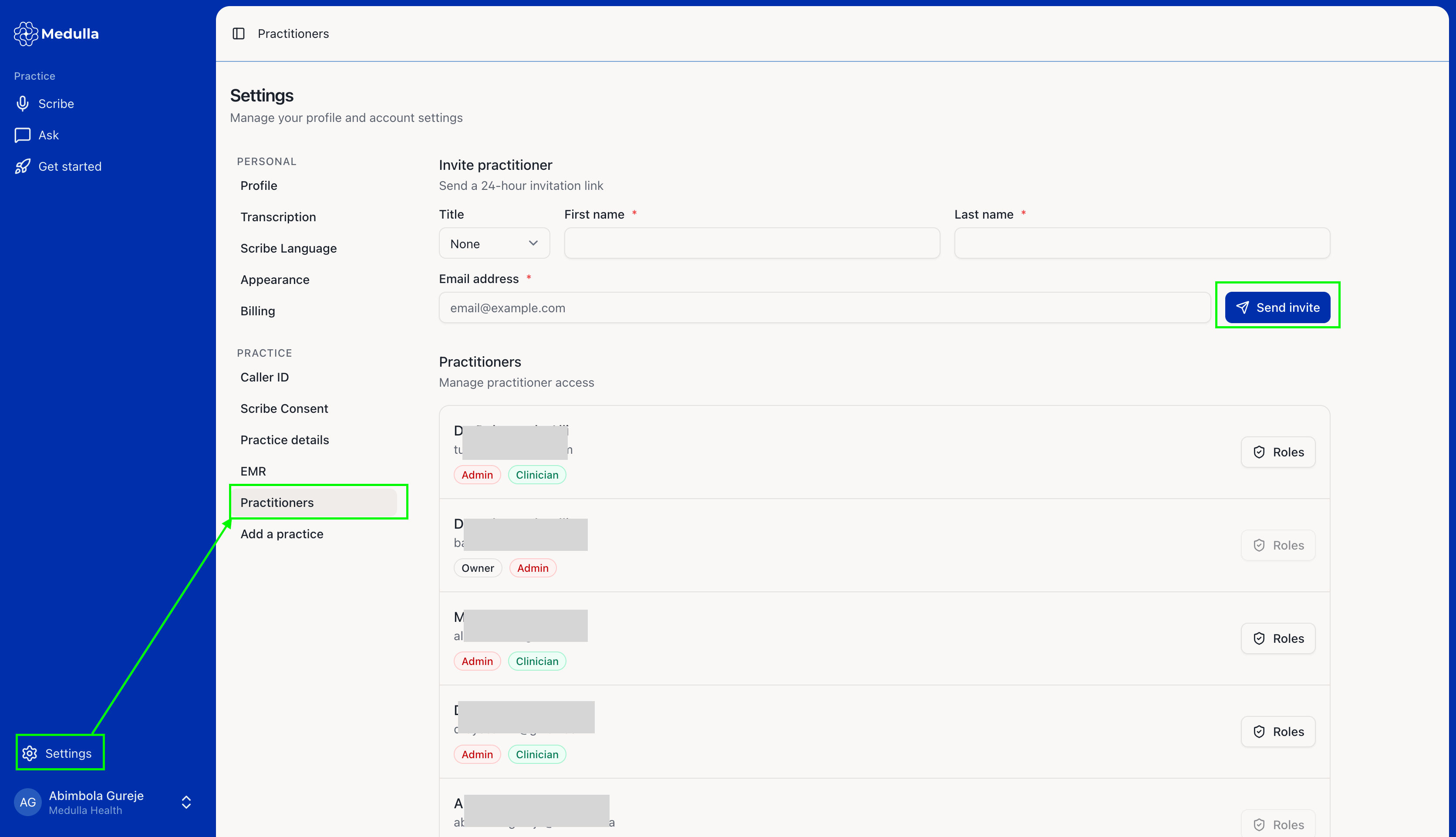
The invited practitioner will then receive an email invitation to join Medulla.
-
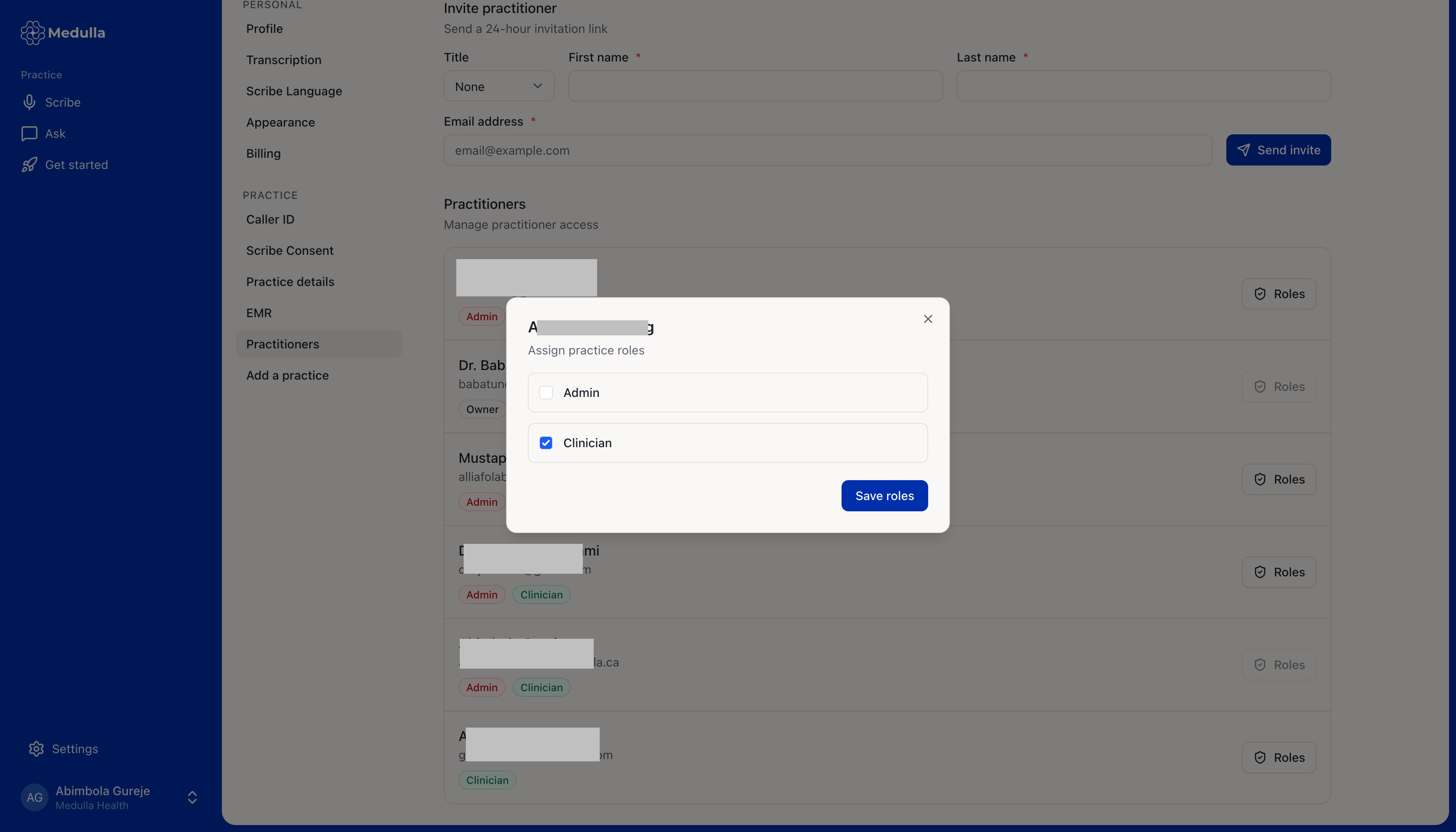
On the Practitioners tab, you can view all practitioners added to your practice and manage their access by assigning them an Admin or Clinician role.
Clinician: can access all in-person and telehealth encounter features and functionalities.
Admin: has access to everything a Clinician can do, as well as the ability to manage practice details, EMR connections, and invite or manage practitioner roles.
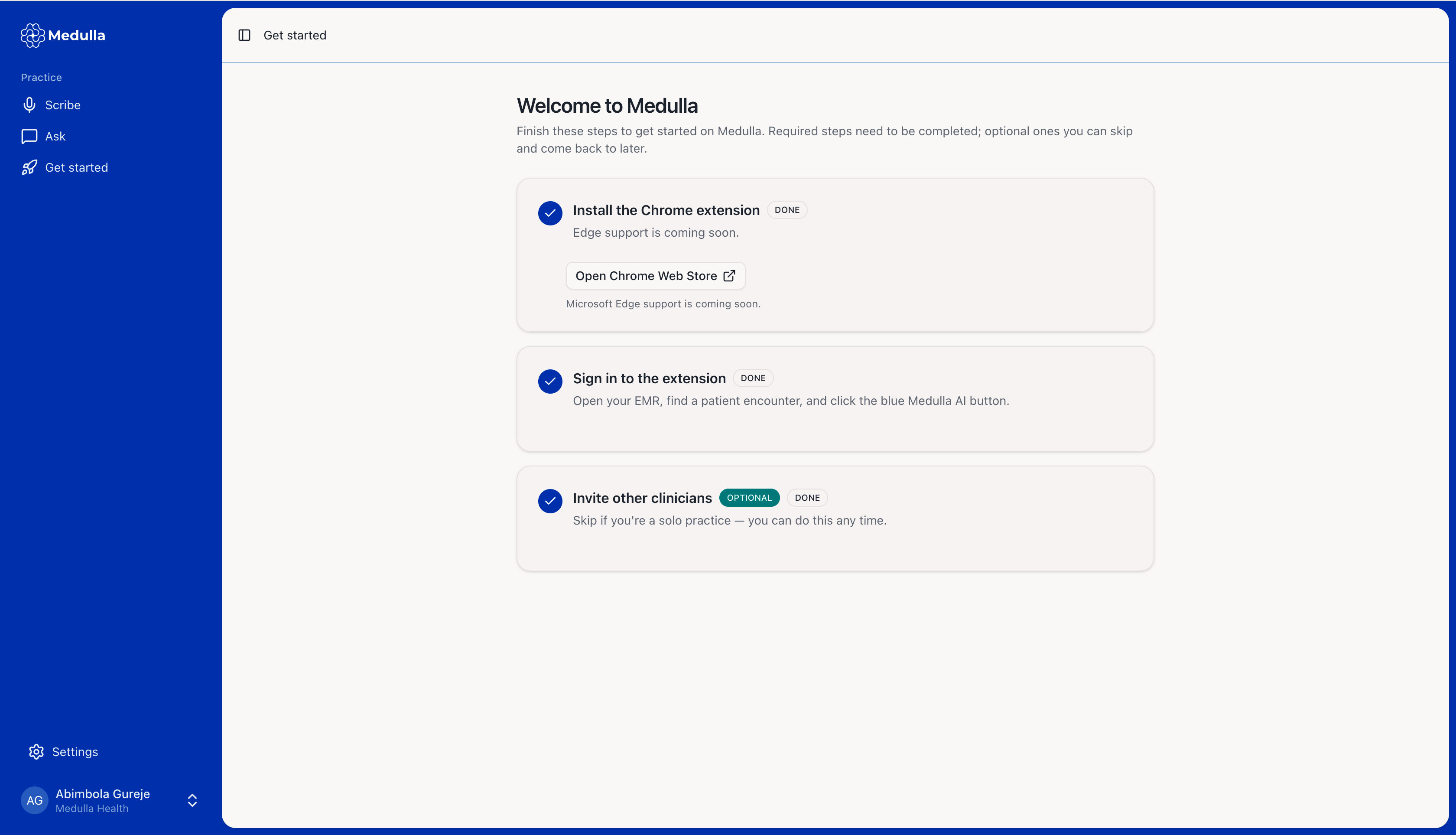
Once they accept the invitation, they will be redirected to the Get Started page, where they can see the steps to set up their account and start enjoying Medulla features.