
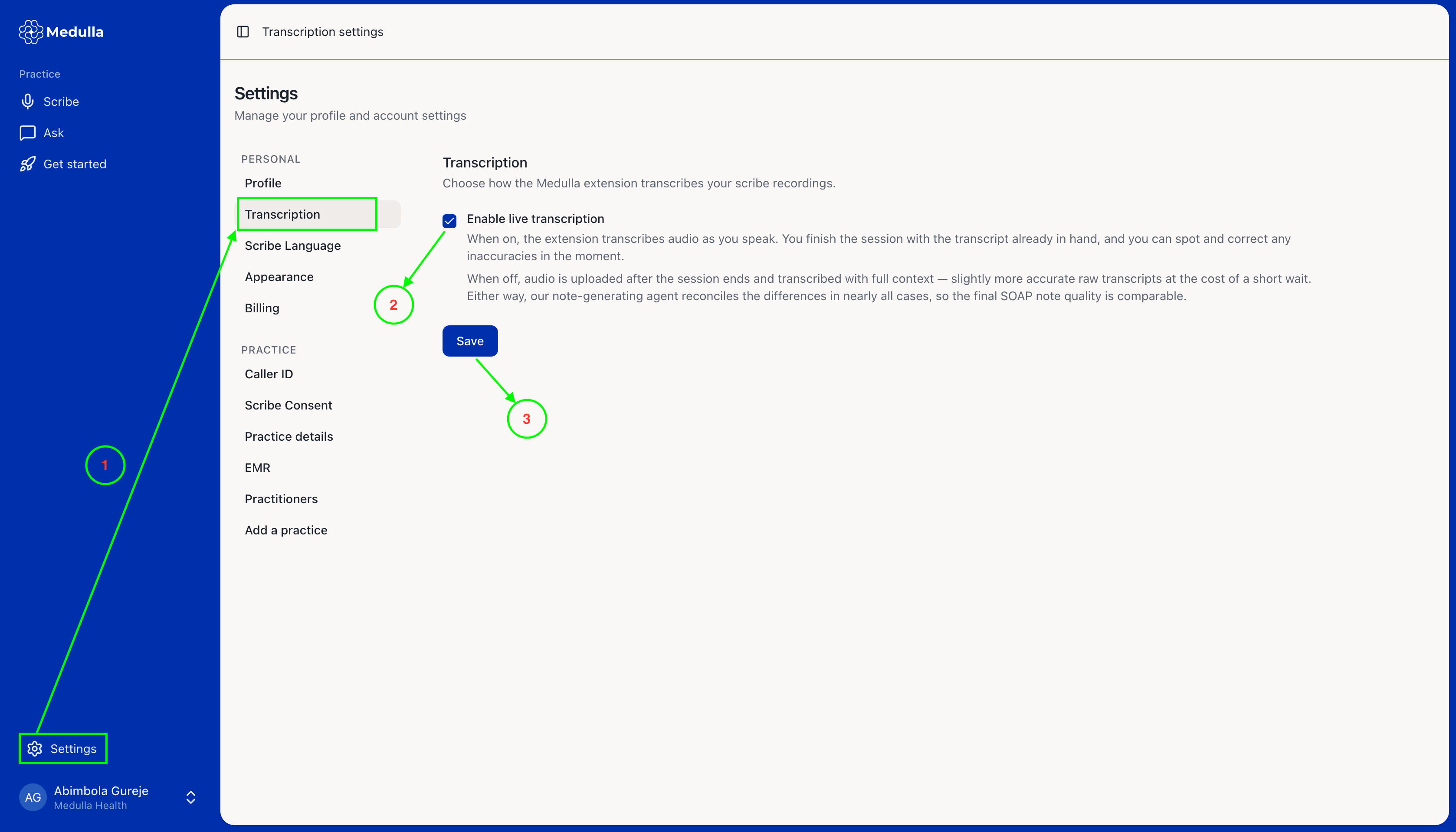
To enable or disable live transcription, follow these steps:
Navigate to the Settings tab on the Medulla web app
Select the Transcription tab
Check the box to enable live transcription or uncheck it to disable it
Click Save to apply your changes
To enable or disable live transcription, follow these steps:
Navigate to the Settings tab on the Medulla web app
Select the Transcription tab
Check the box to enable live transcription or uncheck it to disable it
Click Save to apply your changes