
Ever wondered where you can see your previous scribe sessions?
You can review your past scribe sessions directly in your EMR without switching to the Medulla web app.
Follow the guide below:
Open the specific patient's encounter in your EMR as you normally would.
Scribe sessions are listed per patient, so you will need to open the relevant patient's encounter first to view their session history.
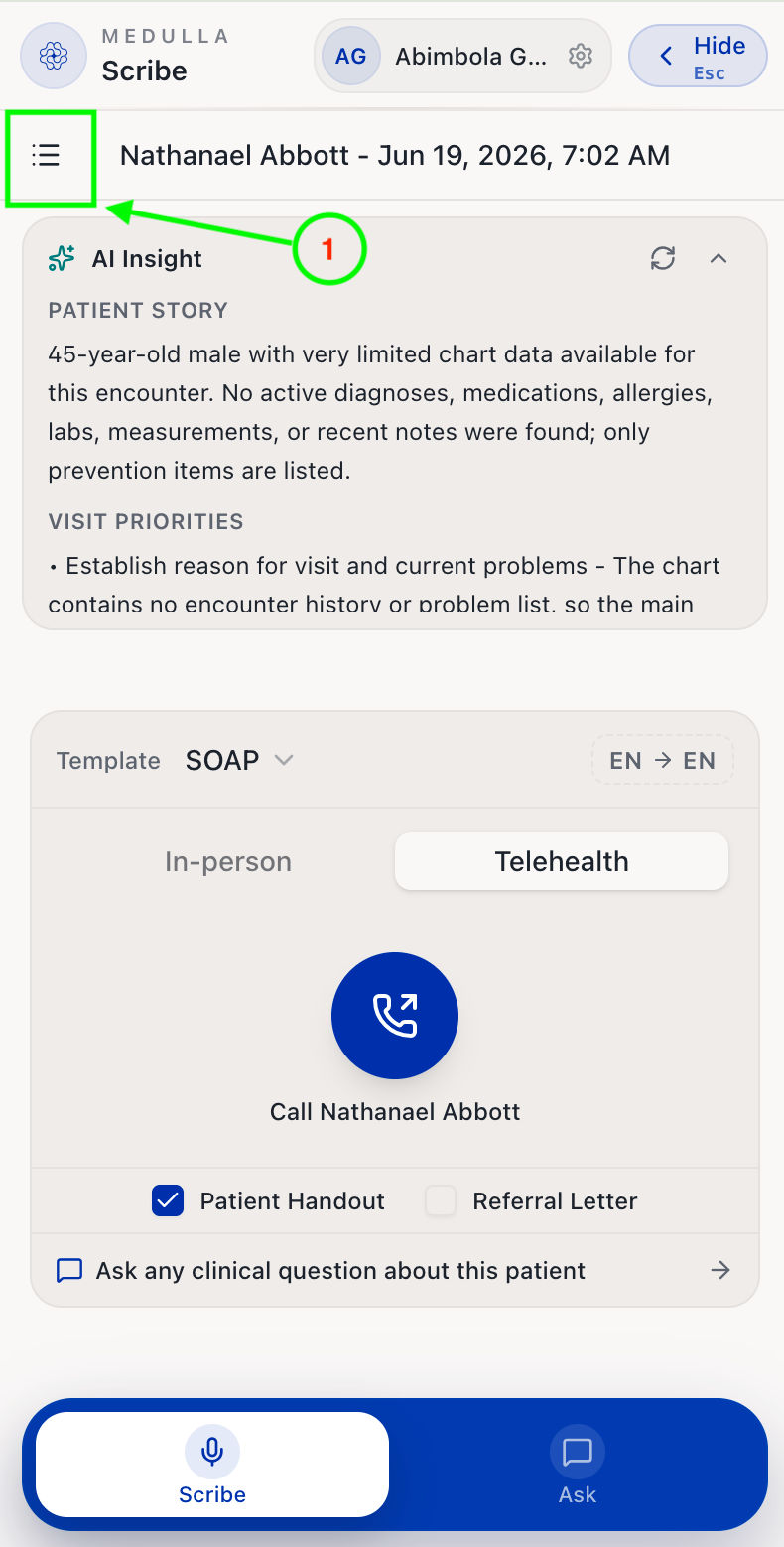
Then open the Medulla side drawer and click on the hamburger menu icon.
-
You should now see a list of your past sessions, if you have any. Each scribe session is labelled with a timestamp to help you distinguish between them.
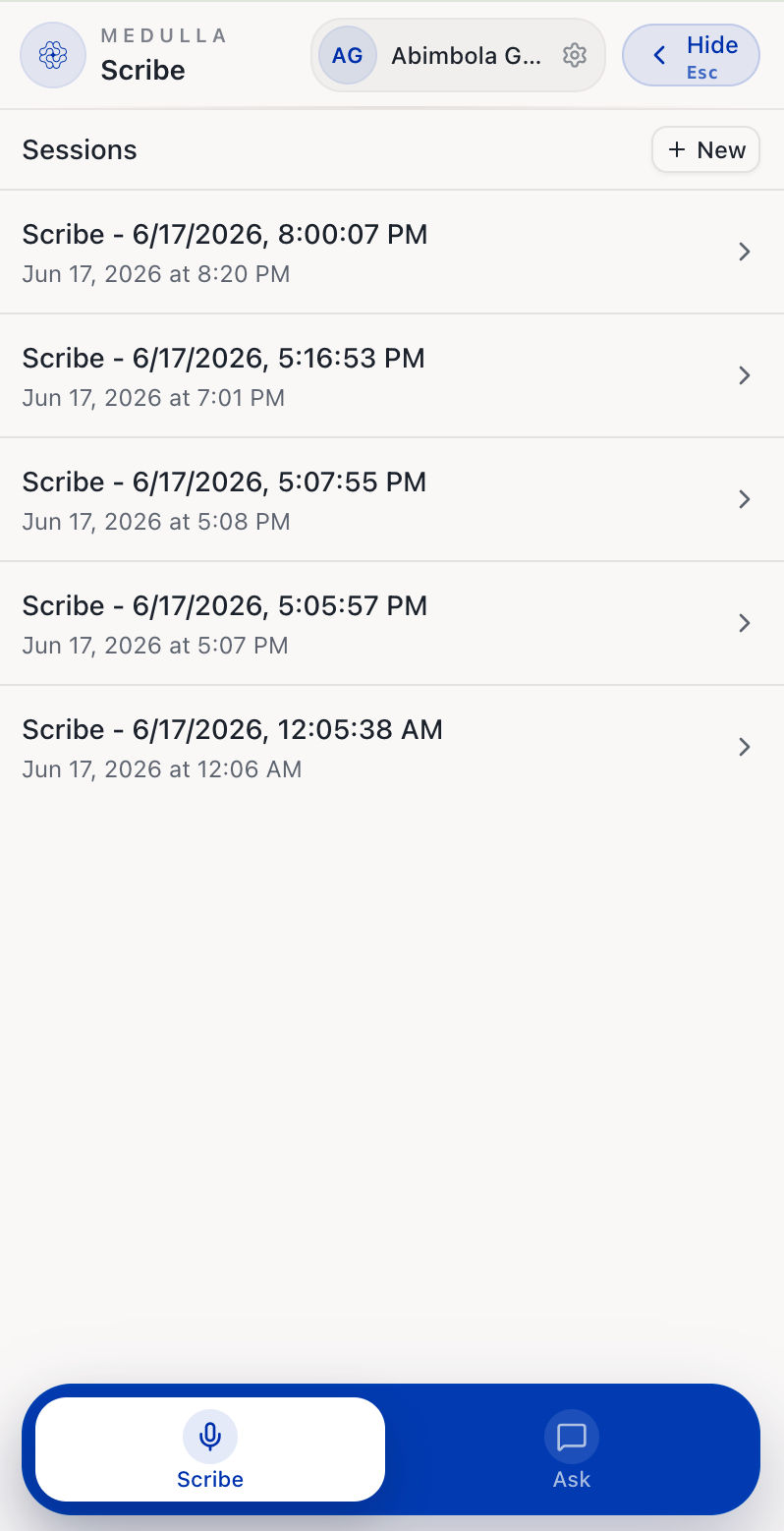
Previous Scribe Sessions -
Click on the scribe session you are interested in to view its note, transcript, and other encounter details.
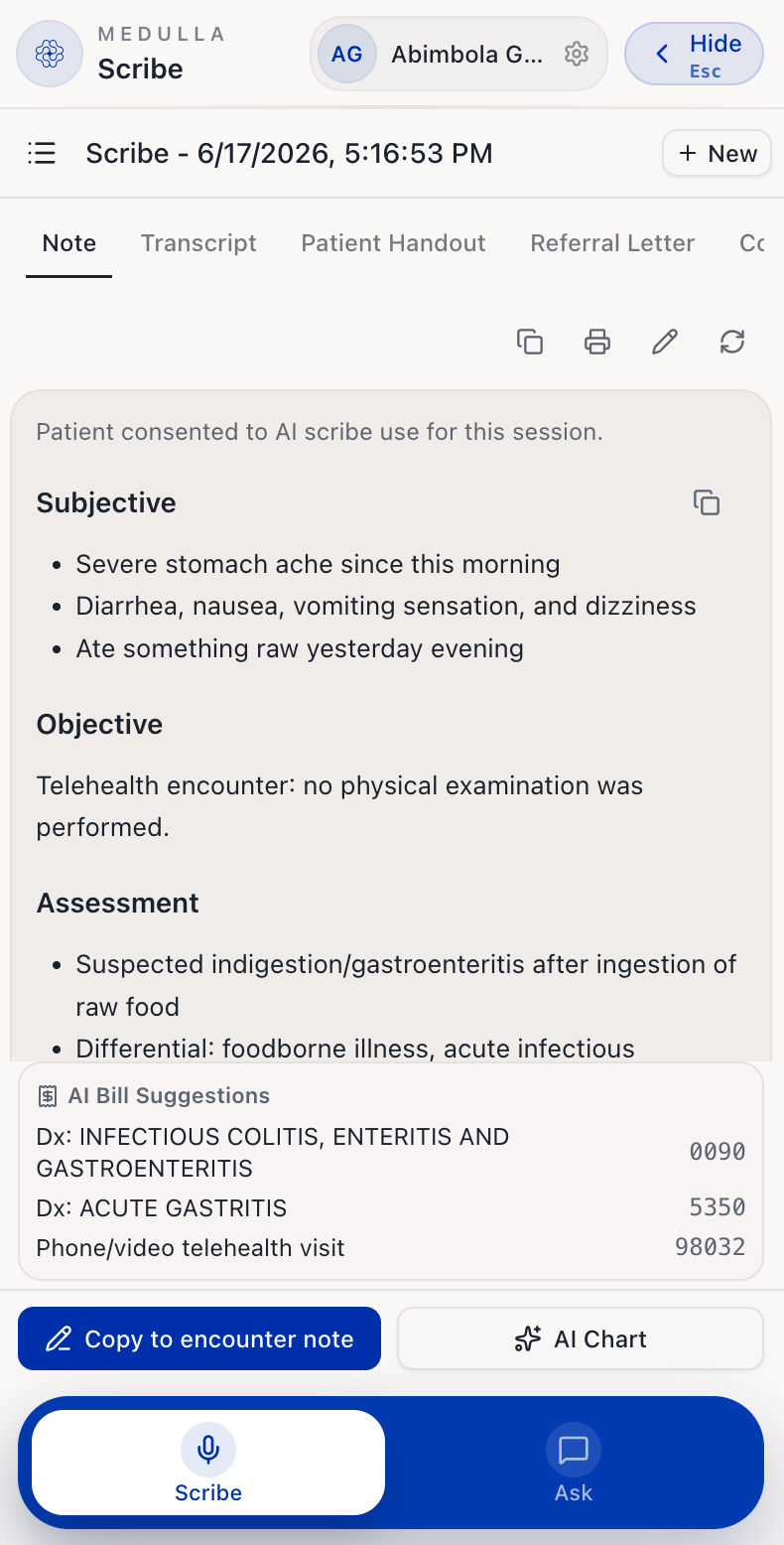
Scribe Session Details For more on what each section shows, see How to generate clinical documents after a scribe session.